Trade Summary
Purpose
Trade Summary shows what a deal cost, what it was billed, and what the margin is.
Who does this
Billing and Finance.
When you need this
When you need to check that a deal adds up.
Before you start
- You have the right account for this screen (see Permissions and Access).
- The date and record you are working on are correct.
- Words you do not know are in the Glossary.
Access
Accounting → Trade Settlement
Screen
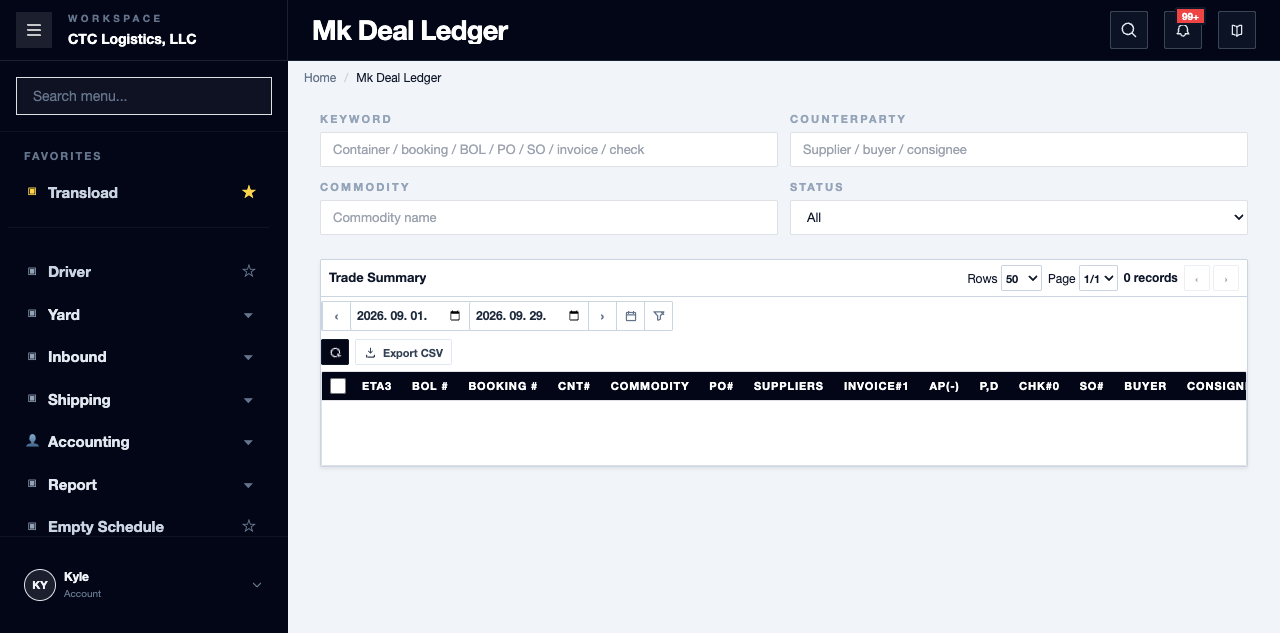
Main Features
Reconcile a Deal
- Write down the time you looked, the filters you used, and the exact equipment.
- Check every purchase and sales link and how many there are.
- Check whether the equipment, links, transactions and lines are active or deleted.
- Separate equipment payables and receivables that are confirmed or closed from outbound-order payables of any status.
- Work the header totals out again from the source records.
- Note why the screen shows the row as open, shipped or closed, and whether it is included under claimed.
- Export only once you have written down the differences you could not resolve.
Fields
| Field | What it means |
|---|---|
| Header totals | What the whole deal adds to |
| Detail lines | Only outbound-order transactions — equipment costs are not in them |
| Display status | Calculated from amounts, not a saved settlement state |
Status
| Shown | How it is decided |
|---|---|
| CLOSED | A qualifying amount is present |
| SHIPPED | Otherwise, arrival or departure evidence exists |
| OPEN | Otherwise |
Because it is calculated, a row can read closed while its figures do not agree with you.
Notes
- The total often cannot be rebuilt from the lines below it. The lines omit equipment transactions. That is a known gap in the screen, not your arithmetic being wrong.
- Outbound-order payables can be counted while still in draft. The same kind of cost is counted on one side and not the other.
- Deleted source records can still appear in the totals.
- A deal with no arrival or departure date falls back to today's date, so the same deal can move between date filters over time.
- Never settle a difference by taking the highest order number as the right one.
- If the container is linked to more than one order, or a link is deleted, stop — this screen cannot resolve it. Take the identifiers to the order or equipment owner.
To Quickbookon this screen produces a CSV and may write a local marker. That is not proof the accounts system received anything.- Record the query time. Anything you conclude is only true as at that moment.