Sending an Invoice to QuickBooks Online
Purpose
When you complete an invoice in AR Billing, the screen immediately attempts to deliver it to the accounts system. A Send to QuickBooks button exists on completed rows as a manual retry — it is not the normal trigger.
There is no separate sending screen. Delivery is part of AR Billing, and the status you watch is the status shown on the AR Billing row.
Access
Accounting → AR Billing, then the row's Send to QuickBooks
Screen
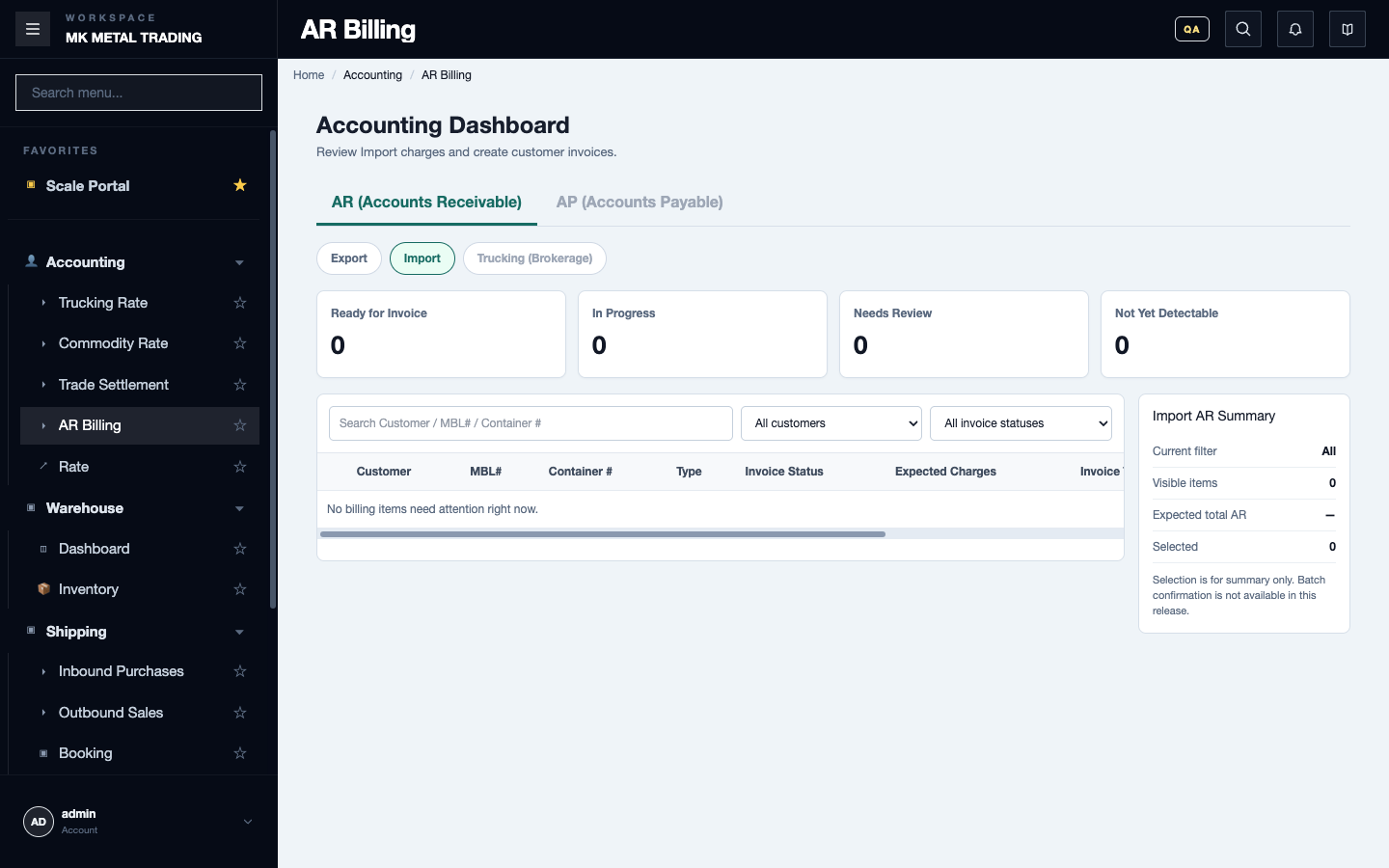
This is the AR Billing screen. There is nothing else to open.
Steps
1. Check before you send
- The row has an invoice number.
- The local invoice details and the intended grouping are final.
- The customer is correct.
- Line description, quantity, rate and amount are correct.
- The customer and the billing items already exist in the accounts system.
2. Read the result of the automatic attempt first
Do not start a second send just because the local invoice exists. Refresh and identify the state of every group first.
3. Use Send to QuickBooks only when you must
Use it for a completed row you have reviewed and that genuinely needs a manual or retry send.
Before retrying an uncertain error or a timeout, search the accounts system by customer, invoice number and amount. The invoice may already be there even though this screen could not save the final status.
4. Read the status
| Status | Meaning | What you do |
|---|---|---|
| READY | The invoice exists here. Delivery is not finished | Review why the automatic attempt did not complete before any manual send |
| SYNCING | A send is in progress | Do not send again. Let it refresh, or escalate for reconciliation |
| SYNCED | The accounts system created the invoice | Compare the invoice number and amount there. Do not resend |
| SKIPPED | Usually already sent | Check the invoice it points to |
| ERROR | The local result failed. The provider invoice may still exist | Search the accounts system first. Retry only after confirming it does not exist |
If something goes wrong
| What you see | What to do |
|---|---|
| Delivery failed | Search the accounts system before resending — it may exist there |
| Some groups synced, others did not | Keep the ones that worked. Escalate the rest. Retrying the batch can duplicate |
| The status stayed ERROR after a timeout | Treat the outcome as unknown, not failed. Search first |
What good looks like
- You have checked the result in the accounts system, not assumed it from this screen.
- No invoice was sent twice.
Related
- AR Billing — the screen this happens on
- AR Billing Corrections — after the invoice exists
- Office and Billing