Handing Work from the Yard to a Driver
Purpose
Some deliveries can only start once the yard work on that same container is finished. This page explains that order, and what to do when it gets stuck halfway.
Who does this
Dispatch staff who move equipment in the yard and then hand it to a driver.
Before you start
- You have the right account (see Permissions and Access).
- The record and date you are working on are correct.
- Words you do not know are in the Glossary.
The rule
A container that is still being moved in the yard cannot start its delivery. The yard move is finished first. Only then can the driver start.
This applies to return and relocate jobs that take a container out of our own yard.
It does not apply to most yard work. A completed yard move does not automatically create or advance a delivery, and many deliveries have no yard move in front of them at all.
Step 1 — check they are the same thing
Before connecting a yard instruction to a delivery, compare:
- the delivery reference
- the container or chassis
- where the yard says the container is
- where the driver says it is picking up
If any of these disagree, stop. Do not match them up because they happened at the same time, or because the driver's name looks right. One physical container, one location, no guessing.
Step 2 — finish the yard move
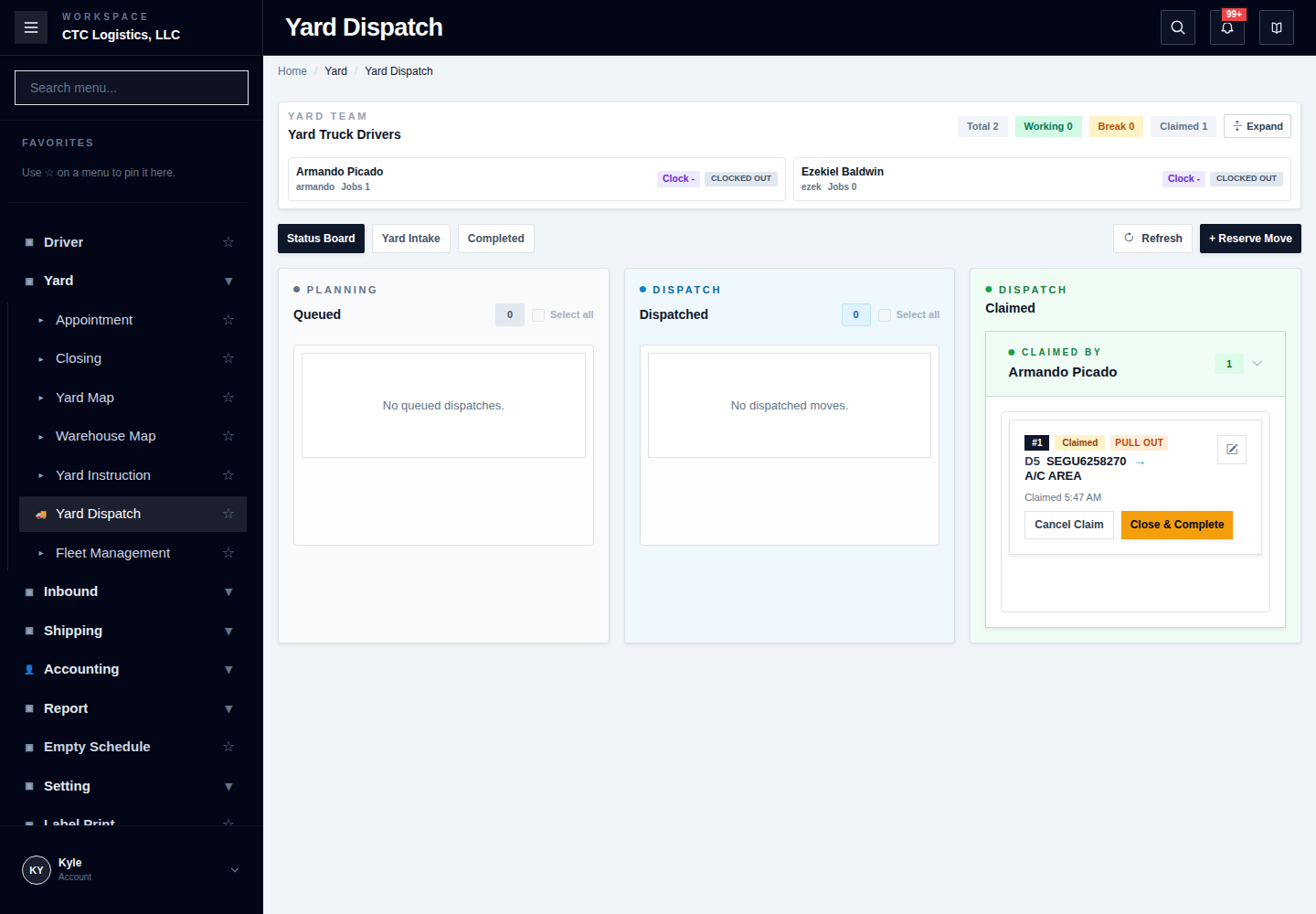
The yard instruction is finished the normal way — see Moving Equipment Around the Yard. Office schedules it, the yard driver claims and completes it.
When it is done, the yard map and the real position must agree.
A leftover name on a finished instruction is not a second move. If an instruction still shows an assignee after it was released, or you see two similar finished rows, do not move the container again. Compare the container, the route and the time.
Step 3 — check it is now unblocked
Refresh both the yard screens and the driver screen.
Never work from a screen that was loaded before the yard move finished. It will still show the old state and tell you the job is blocked when it is not — or worse, the reverse.
The delivery is ready to start when there is no active yard instruction left for that container or that spot. An instruction that is waiting, scheduled or already claimed all still block it.
Step 4 — the driver starts the delivery
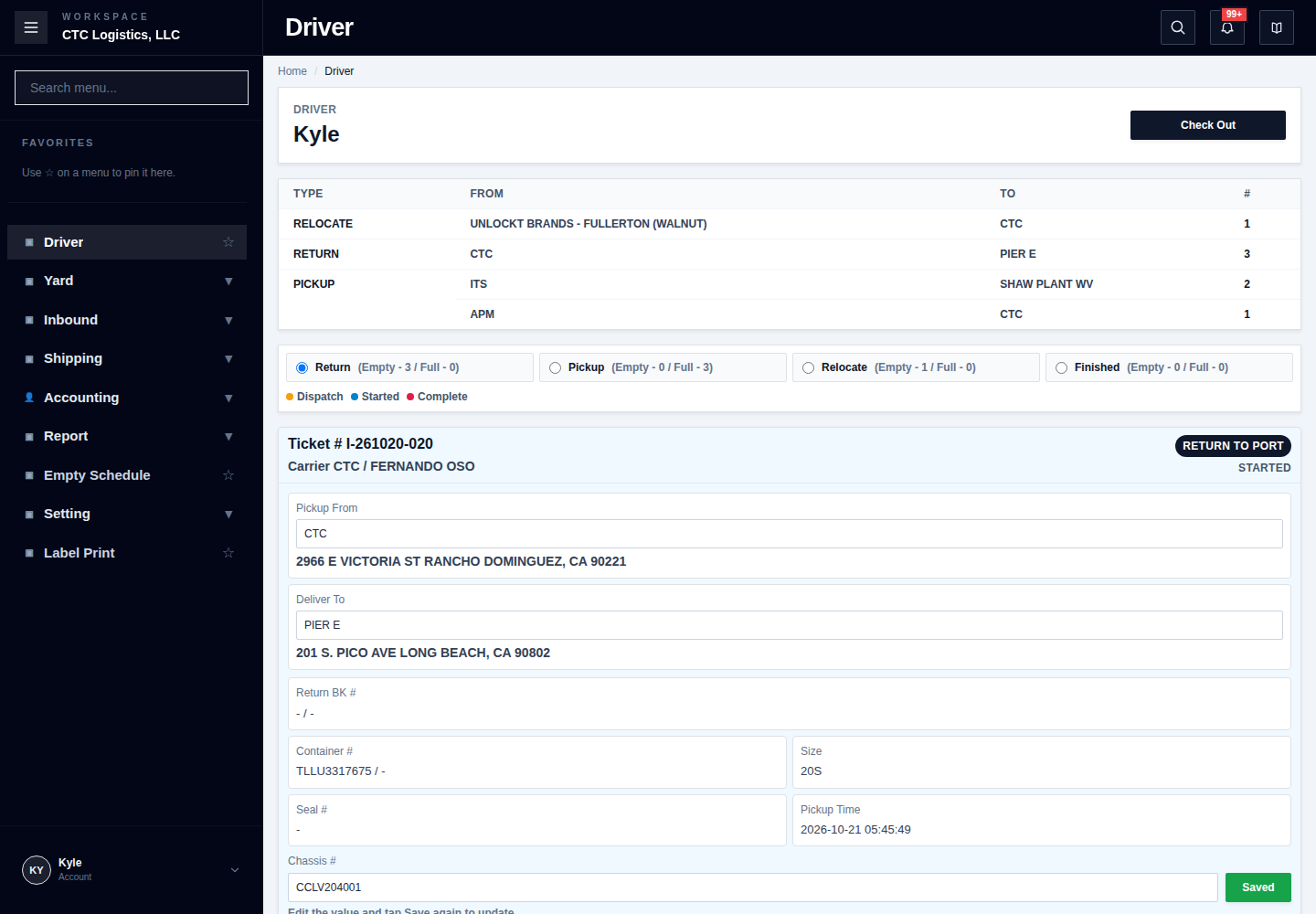
The assigned driver, signed in with an open workday, presses Start — see Working a Delivery.
When it gets stuck halfway
Starting a delivery clears the container's yard spot first, then changes the delivery status. Those are two separate steps. If the second one fails, the container has already left the yard in the system but the delivery still says not started.
That partial state is real and it needs a person to finish it.
What to do:
- Confirm the container has physically left. Look at the yard.
- Refresh the driver screen.
- If the delivery is still not started, finish the driver status step only.
- Do not move the container in the yard again. It has already left. Moving it again puts it in two places.
Telling the states apart
| The yard says | The driver says | What it means | What you do |
|---|---|---|---|
| Instruction still active | Not started | Correctly waiting on the yard | Finish the yard move |
| No instruction; position checked | Not started | Ready to go | The driver starts it |
| No instruction; container gone | Started | Done | Nothing — it worked |
| No instruction; yard cleared | Still not started after trying | Half-finished | Finish the driver step only. Do not re-move it |
| Instruction and driver disagree | Started | Conflict | Stop. Someone must reconcile it |
| Two similar finished rows | Any | Possibly one move recorded twice | Compare container, route, time. Do not move again |
If something goes wrong
| Situation | What you do |
|---|---|
| The driver says blocked but the yard is finished | Refresh the driver screen. Do not use an old screen. |
| The container is not where either screen says | Stop. Find the real position before doing anything. |
| Start failed and the yard spot is gone | The container may already have left. Check physically, then finish only the driver step. |
| An instruction still shows a name after release | That is not a second move. Do not move the container again. |
| Two finished instructions for one container | Compare container, route and time. Report it. |
| The delivery started but the yard still shows it | Stop. Do not clear the yard to make it match — check what really happened. |
Who owns the next step
The yard owns the move, the driver owns the delivery, and dispatch owns the reconciliation when the two disagree — see The working day, step by step.
The full step-by-step
This page is the short version. The screen-by-screen procedure with every field and recovery step is here: